Snowflake destination
Learn how to connect your Snowflake data warehouse as a destination in Renta ELT.
Prerequisites
Before you begin, ensure you have:
- Snowflake account.
A Snowflake account with administrative privileges to run setup scripts. - Renta ELT account.
Access to the Renta ELT platform with permissions to configure destinations
Prepare the Snowflake side
Renta connects as a dedicated service user that owns nothing outside one schema. Before you add the destination, create that user together with its role, the warehouse that runs the loads, and the target database and schema.
The setup is a sequence of SQL steps you run once in a Snowflake worksheet. It also decides whether Renta gets its own warehouse or shares an existing one.
Keep the variable values from that setup at hand. The warehouse, database, schema, user, and password all go into the connection form below.
Adding Snowflake as a Destination
In this section, we'll show how to add Snowflake as a Destination in Renta ELT.
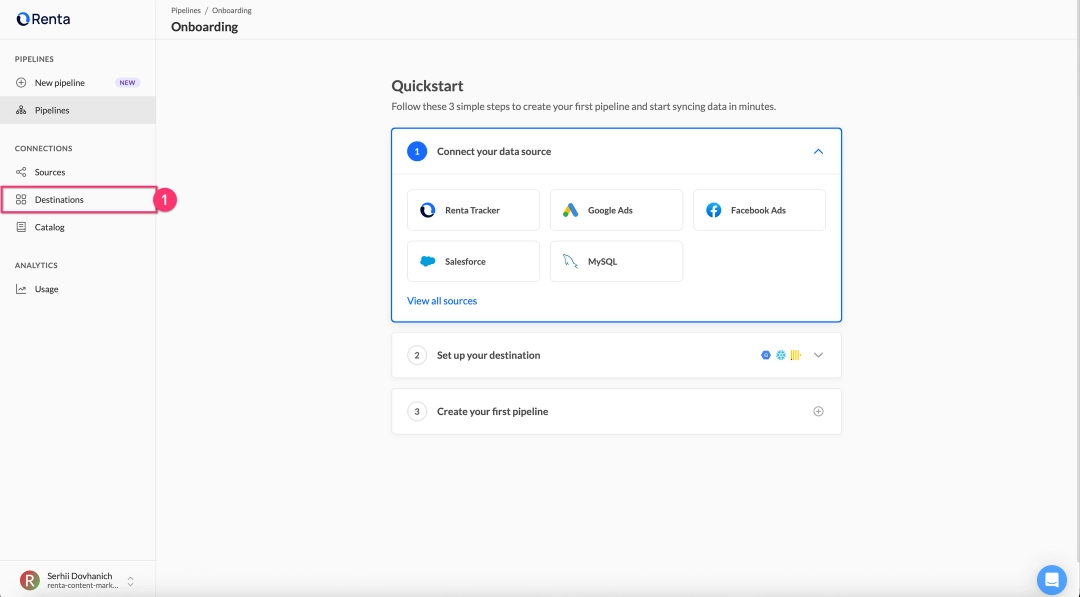
Log in to your Renta ELT platform and navigate to Destination in the left sidebar.


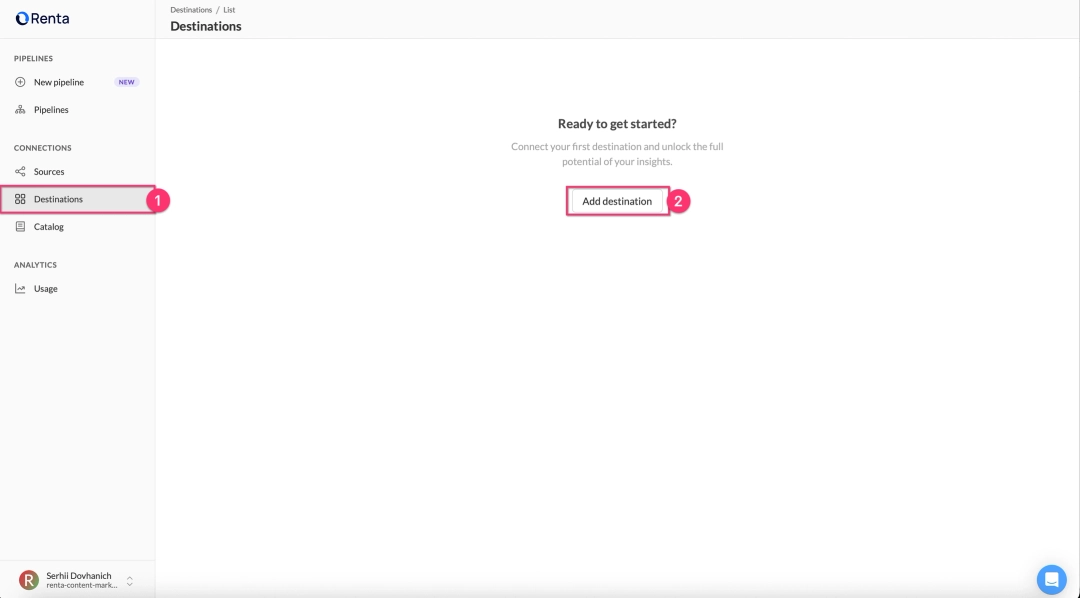
Click the Add Destination button in the top right corner.


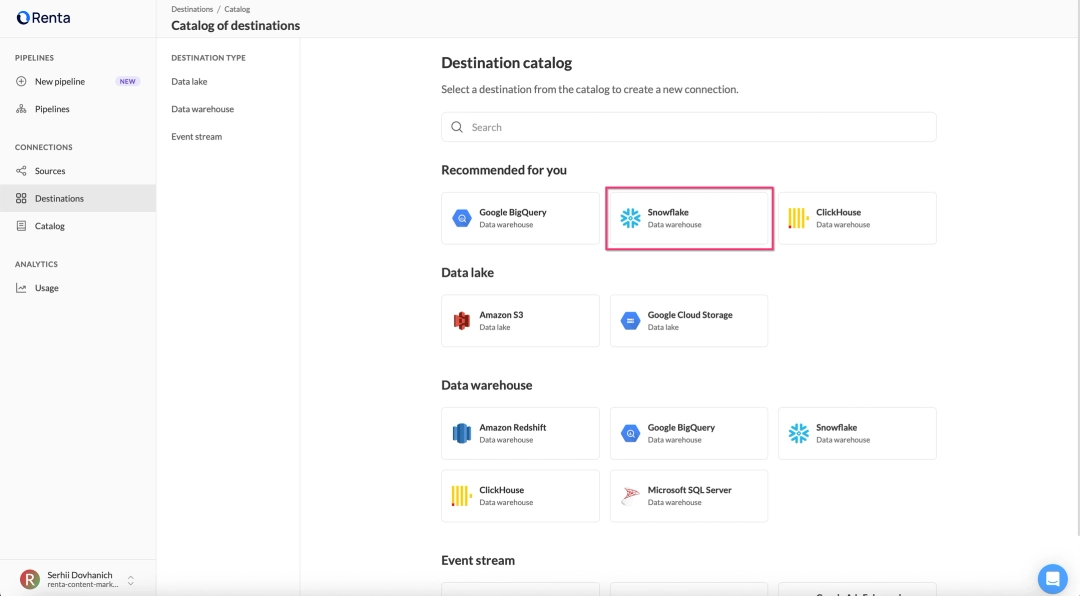
Select Snowflake from the list of available destination types.


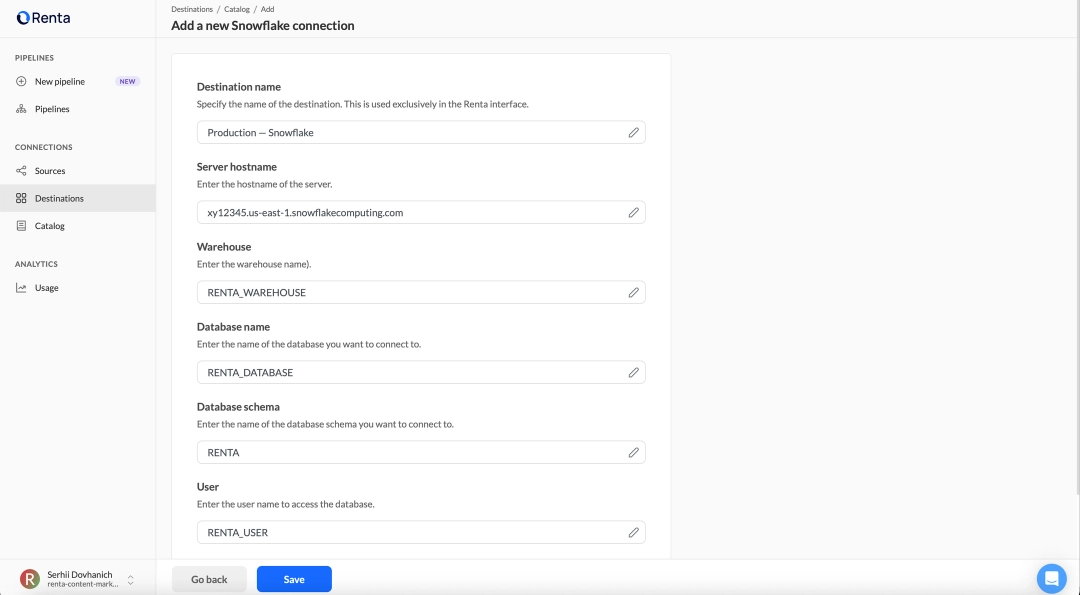
Fill in the connection details form:
| Field | Field description |
|---|---|
| Destination name | A descriptive name for this destination. Example: Production — Snowflake |
| Server hostname | Your Snowflake account URL. Example: https://xy12345.us-east-1.snowflakecomputing.com |
| Warehouse | The warehouse you created in the setup script. Example: RENTA_WAREHOUSE |
| Database name | The database name from the setup script. Example: RENTA_DATABASE |
| Database schema | The schema name from the setup script. Example: RENTA |
| User | The username you created in the setup script. Example: RENTA_USER |
| Password | The password you set in the setup script. Example: TempP@ssw0rd123 |
Click Save to verify that Renta ELT can successfully connect to your Snowflake warehouse.


Ready to get started?
Build your data pipeline today or get a personalized demo. Start free!
Need help?
Get expert support to ensure your project succeeds. We're here to help!
Feature requests?
Help shape our product! Share your ideas for new features and integrations.